iOS & iPadOS 18+ • Free Editing & PDF Export

One Main Resume.
A tailored resume for every role.

Turn your existing resume into editable content. Improve the wording with AI review. Then tailor a copy for a specific company and role, keeping your Main Resume unchanged.

Editing, all five templates, and PDF exports are free. Online AI includes one free import and one free review; further use and AI tailoring require a monthly subscription. See what’s included.
No CVBuilderKit Account Required
Private iCloud Sync
Vector PDF (A4 & US Letter)
Free PDFs Without Watermarks
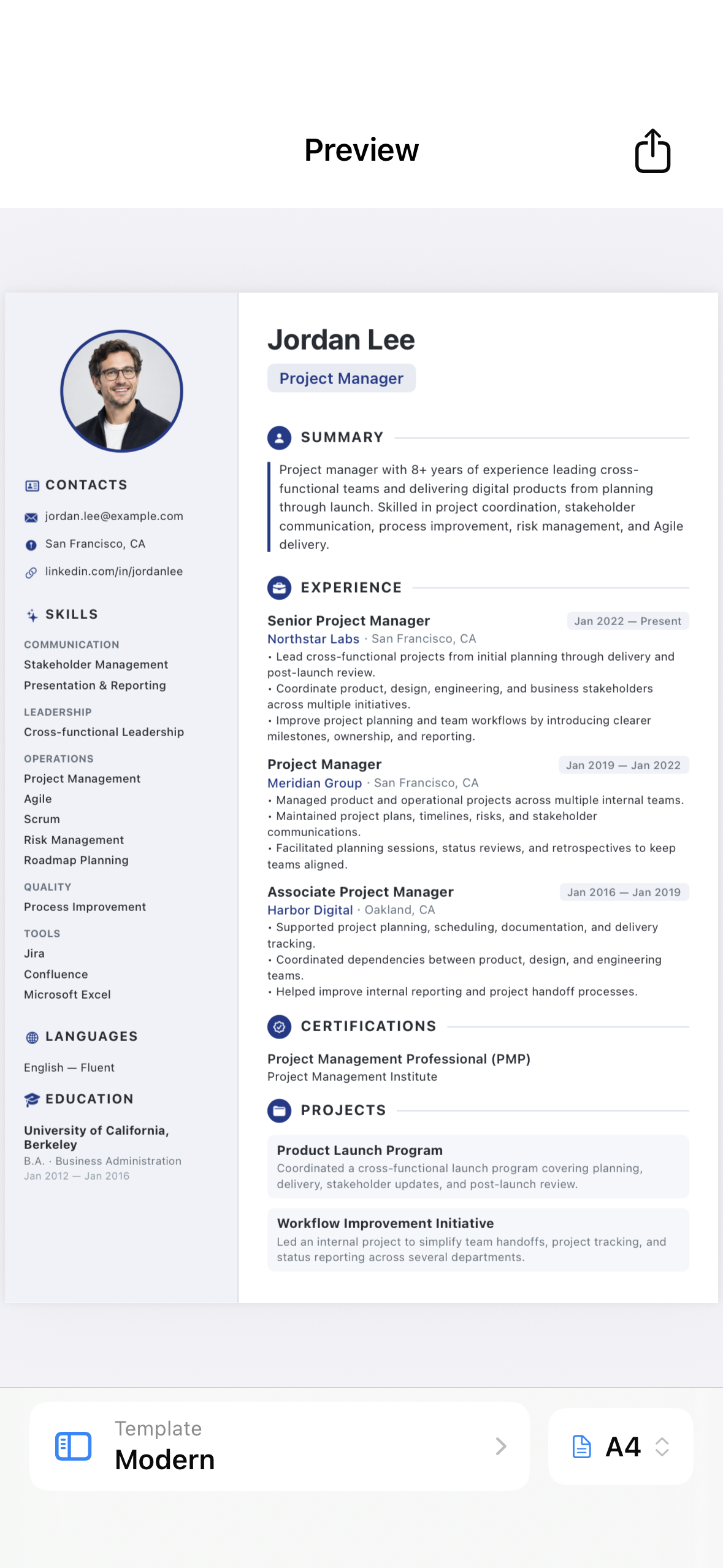
CVBuilderKit Resume PDF Preview on iOS
Your resume, ready to preview and share iPhone & iPad
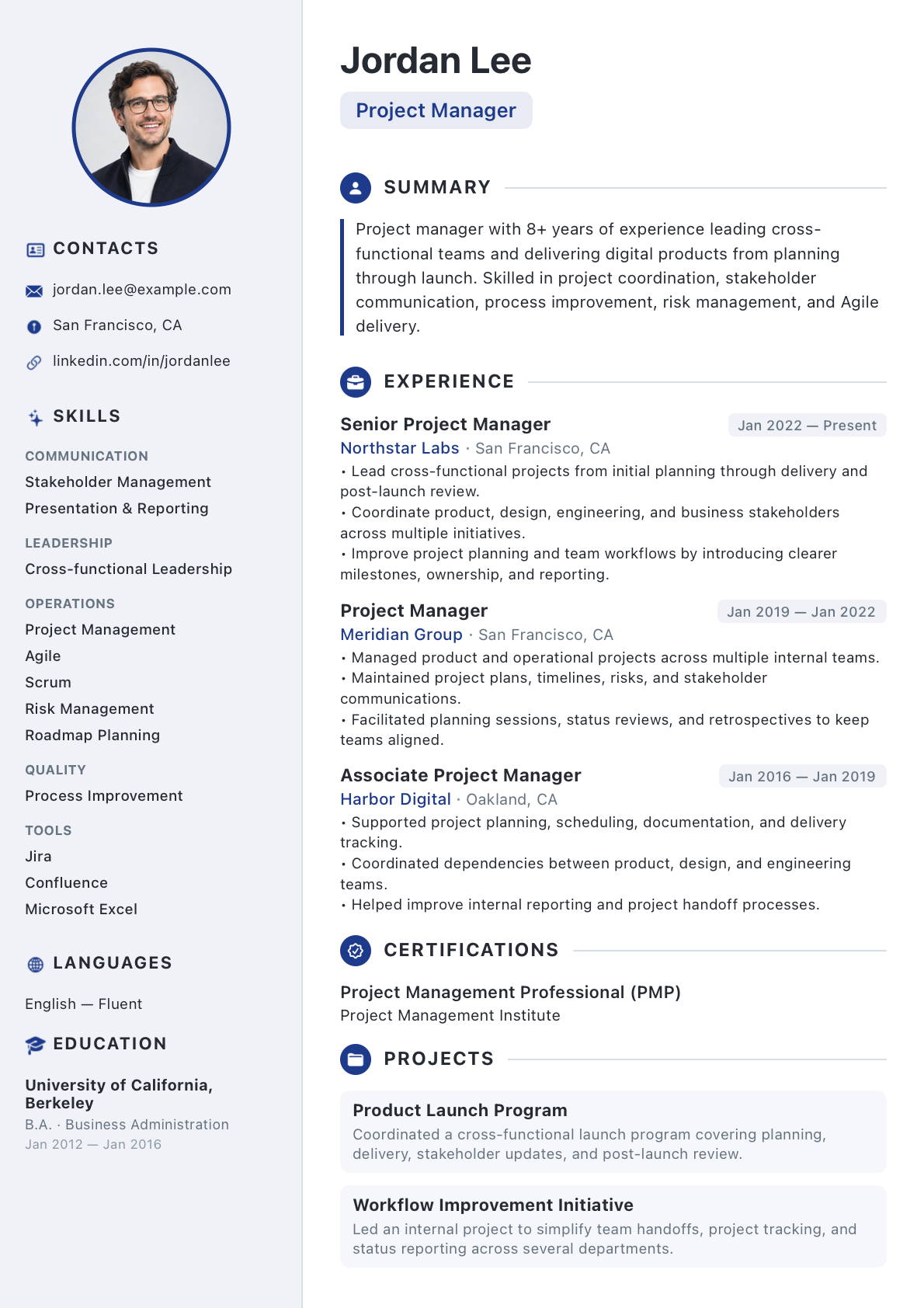
CVBuilderKit Modern ATS PDF Template
Generated Vector PDF (Modern Template) ATS-Ready
Features

Import your experience. Improve it. Make it fit the role.

Three ways to move your next application forward, with your original resume always in your control.

Tailor your resume with AI

Choose a company and role, and optionally add the job description. AI selects and adapts relevant content from your Main Resume into a new linked copy. Check the wording and make it your own before sharing.

Your Main Resume stays unchanged. Monthly AI subscription.

Import without retyping

Start with a PDF, photos, a scan, or a supported public link. AI turns your existing career details into an editable draft. Review and correct the imported information before saving your Main Resume.

One successful import free per verified App Store identity.

Get a fresh perspective with AI review

Get clearer wording and feedback on your experience in an improved copy. Your original stays unchanged, and review advice stays in the app, out of your exported PDF.

One useful AI review free per verified App Store identity.

One source for every application

Keep your career details in a Main Resume and create linked copies for different roles. Updates flow to inherited fields while your custom edits stay protected. Keep separate Main Resumes for different career tracks.

Edit locally. Sync privately.

Manual editing and PDF creation work offline, with private iCloud sync between your devices. Optional AI needs an internet connection and sends submitted content to our service and its AI provider.

Five templates. Free PDF exports.

Choose Classic, Modern, Executive, Compact, or Minimalist. Export searchable, selectable PDFs in A4 or US Letter without watermarks, then share or print. Editing, templates, and PDF exports stay free.

5 Free PDF Templates

Choose a layout for your experience.

Choose Classic, Modern, Executive, Compact, or Minimalist. Every template supports searchable text and both A4 and US Letter paper sizes.

Two-Column / Visual Balance

Modern Template

A two-column layout with contact details, skills, and education in a sidebar, alongside your summary, experience, and projects.

  • Balanced two-column structure with distinct sidebar
  • Optional circular profile photo container
  • Skills organized by category
  • Searchable, selectable PDF text
Modern Template Resume Preview
Workflow

Create your first targeted resume in 3 steps

Start with your career information, prepare a version for the role, and check the PDF before sharing.

01

Build or Import Once

Start manually with contact basics, recent experience, and a target role, or import a PDF, photos, a scan, or an accessible public profile. Review imported details before saving.

02

Review and Tailor

Create and edit a linked copy manually for free, or use optional online AI to review a resume or tailor one for a company and role. AI generation requires a subscription. Check the result before sharing.

03

Preview & Export Vector PDF

Open a resume, choose Export, and check the exact PDF preview. Pick one of five templates and A4 or US Letter paper. AI advice stays in the app and never appears in your PDF.

Free & AI Features

Free resume tools. Optional online AI.

Keep editing and exporting your documents whether or not you subscribe.

Feature What’s included Connection needed
Manual editing & linked copies Free, including multiple Main Resumes and protected custom edits Works offline
Templates & PDF export All five templates, A4 and US Letter, unlimited exports without watermarks Works offline
Private iCloud sync Free between your devices using the same iCloud account Internet and iCloud account
AI introduction One successful import and one useful review per verified App Store identity Internet and App Store verification
CVBuilderKit AI subscription 30 successful operations per billing month, shared across imports, reviews, and tailored generation Internet and an active subscription

AI sends submitted content to our service and its AI provider. The monthly price is shown in the app before purchase. Unused operations do not roll over. Read the AI guide and privacy details.

Frequently Asked Questions

Answers to common questions

Learn about free features, optional online AI, privacy, and PDF compatibility.

Manual editing, templates, iCloud sync, and unlimited PDF exports remain free. Your documents stay editable and exportable after cancellation or allowance exhaustion.

One successful import and one useful AI review are free, once per verified App Store identity, including existing users. Import a PDF, photo, scan, or public link. Failed operations do not count. A delivered import draft counts even if you discard it; an empty review does not.

CVBuilderKit AI is an optional monthly subscription. The current local price is shown in the app and App Store purchase sheet before you subscribe. Further imports and reviews, plus tailored generation, use the monthly subscription allowance.

30 successful AI operations per billing month, shared across imports, reviews, and tailored generation. Unused operations do not roll over.

Stored resumes stay in the app and synchronize through your private iCloud database. When you use import, AI review, or generation, content is sent to our service and its AI provider. Import can include contacts and images in PDFs; review and generation omit dedicated contact, photo, and link fields. Personal details inside descriptions are sent as written. See our Privacy Policy for diagnostics and retention details.

A tailored resume links to one Main Resume. Updates to inherited fields flow to its linked copies, while customized fields keep their own values. Use "Reset to Main Resume" to restore a field’s current source value. You can keep separate Main Resumes for different career tracks.

PDFs use searchable, selectable vector text designed for ATS readability. Compatibility varies by system, template, and content. Check the exported text and follow the employer’s file-format instructions.

Yes! With a single tap in the document preview, you can toggle between international A4 (210 × 297 mm) and US Letter (8.5 × 11 in). Our pagination engine recalculates page breaks dynamically to prevent awkward trailing lines or orphaned section headers.

CVBuilderKit supports iPhone and iPad running iOS 18.0 or iPadOS 18.0 or later. Editing and PDF export work offline. iCloud sync needs an iCloud account and internet access; online AI also needs App Store account verification.

Build your next resume in minutes

Download CVBuilderKit for iPhone and iPad today. Experience the power of one Main Resume, tailored applications, and private iCloud sync.

Available on the App Store